Checking Your Child's Faith Formation Record
St. Francis of Assisi Catholic Church · Faith FormationHow to open your child's Faith Formation page and read their attendance, sacrament milestones, and session summaries.
You are the parent or guardian of a child enrolled in Faith Formation. Sign in to your own parish account. You do not need any admin role to see this page.
You should not have to call the parish office to know whether your child attended class or how close they are to a sacrament. This page shows you the same record the parish keeps, as soon as the parish enters it.
What you will do, in one sentence
Open your child's page from the Faith Formation dashboard to see their attendance, sacrament progress, and what the class covered each week.
Last verified against the staging system on 2026-10-20. Screens shown are the staging system (an isolated copy). The child shown is an invented training record. Prepared 20 October 2026.
1. Opening your child's record
- Sign in to your parish account.
- Open the Faith Formation dashboard.
- Find your child's card and select View Dashboard.
Your child's page opens. The name at the top is your child. Under it you see a badge for their grade, their group, and their session, if the parish has set those.
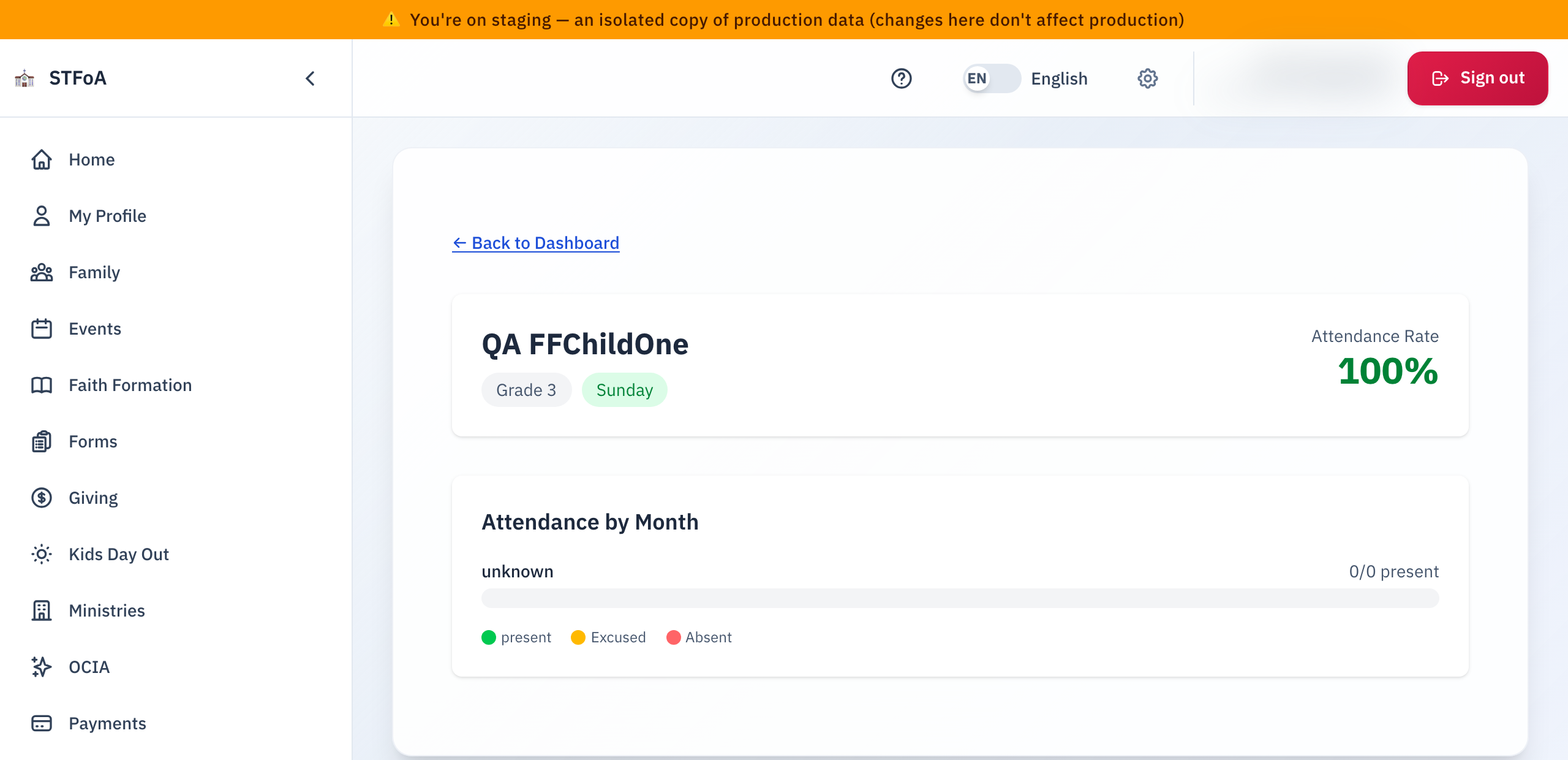
The number in the top right is your child's Attendance Rate. If you do not see a percentage there, the program has not started tracking attendance for your child yet. This is not an error.
If your child's record shows a baptism certificate
If the parish's records show your child as baptized, a card appears under the header with one of these:
| What the card says | What it means |
|---|---|
| A green check and "record is on file and validated" | Nothing more to do. |
| "No baptism record on file yet" | Select the file field, choose a PDF, PNG, or JPG (up to 10 MB), and it uploads on its own. |
| "under review" | Parish staff have your file. No action is needed from you. |
| "was not accepted", with a note | Read the note, then upload a clearer copy the same way. |
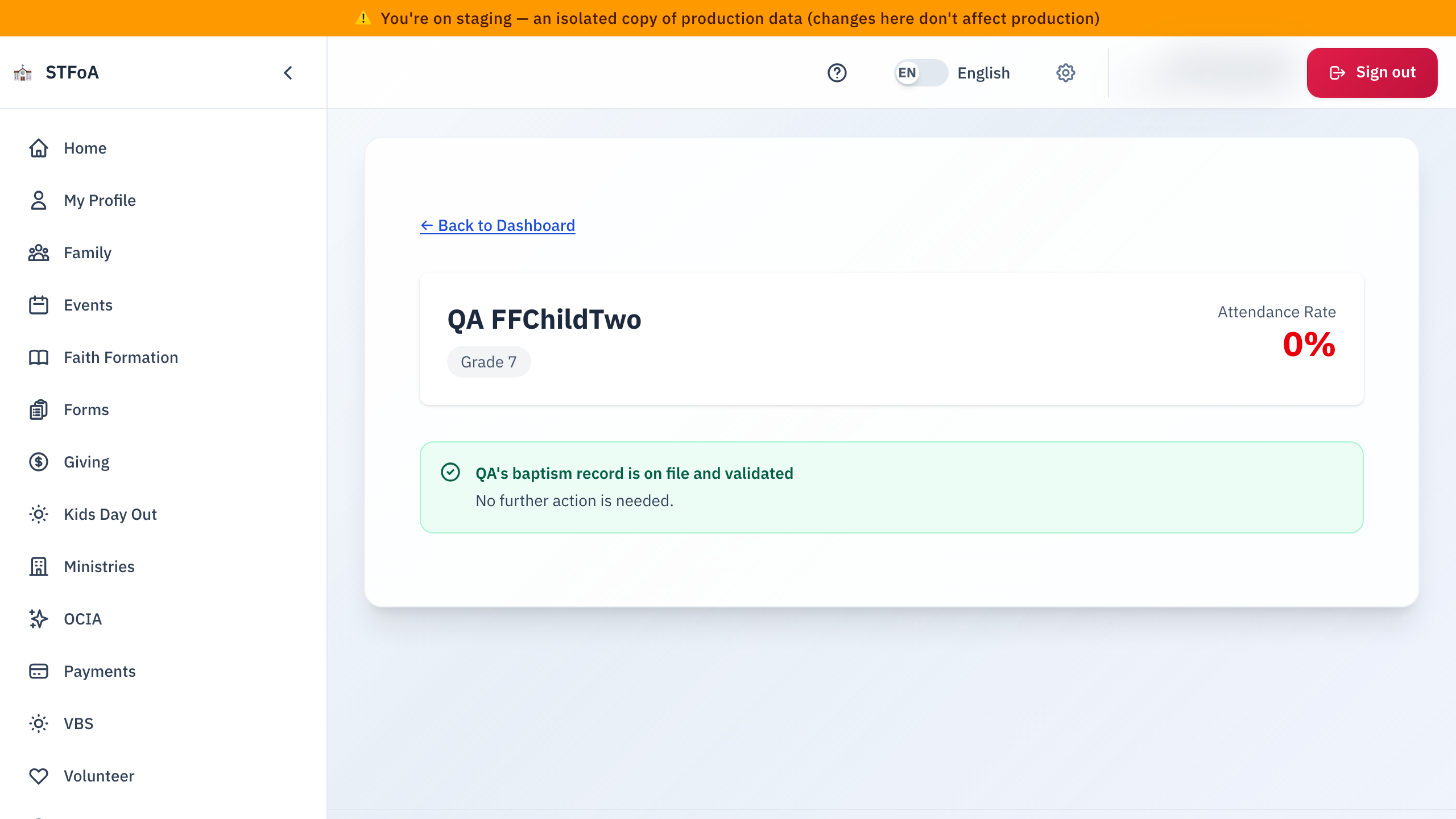
The page updates to show "under review" right away, but no email confirms it. Check back on this page to see when it moves to approved.
If your child is close to a sacrament
Only children in the Youth program have milestones. A child in the Kids program (PreK to grade 5) never shows a Milestone Progress card or a View Milestones link. If you have one Kids child and one Youth child, both children appear, and only the Youth child shows milestones.
If your child has a sacrament milestone in progress, a Milestone Progress card lists each step, with a checkmark for the ones already complete. If you followed a link that says "View Milestones," the page opens with that card outlined so you can find it right away.
If a First Communion Mass date is being chosen
Following a "Select Mass Dates" link opens this page with a note at the top: First Communion Mass Dates. Right now it only says that date information will appear once the program confirms it — there is nothing to select yet.
Choosing a Mass date is not available yet. The dashboard shows no Select Mass Dates button for any child, and this page shows no Mass Dates tab. The parish will turn it on after it decides which milestone opens it. When it opens, only Youth children will see it, after the office approves the registration and that milestone.
This page only shows a card when there is something to show. No sacrament milestone, no group assignment, or no session summaries yet all mean the matching card is simply absent — there is no "nothing here" message in its place.
2. Reading attendance
Scroll down to Attendance by Month. Each row is one month your child was enrolled, with a bar split into three colors:
- Green — present
- Amber — excused
- Red — absent
The number beside the month (for example "6/8 present") is how many sessions your child attended out of how many were held that month.
Until your child has attended at least one class session, this card does not appear on the page at all.
3. Reading session summaries
Scroll to What We Did. Each entry is one class session, newest first, with a short summary of what the group covered. Some entries carry a link — select it to open the resource the leader shared.
If your child has a room, leader, or time assigned, a Group Information card appears below this one with those details.
4. Quick reference card
Getting here
- Sign in, open the Faith Formation dashboard, and select View Dashboard on your child's card.
What each card shows
- The header: your child's name, grade, group, session, and attendance rate, if set.
- Baptism status: only if the parish's record marks your child as baptized.
- Milestone Progress: only if a sacrament milestone is in progress.
- Attendance by Month: only once at least one session has happened.
- What We Did: only once a leader has posted a session summary.
- Group Information: only if a room, leader, or time is assigned.
When to stop and ask
- A card you expect to see never appears, and it has been more than a week since the session it should cover.
- The attendance shown does not match what you remember for your child.
- A baptism certificate you uploaded still shows "under review" after more than a few days.
Parish office — ask for the person who runs Faith Formation.
This page is here so you always know where your child stands, without waiting on a phone call.