Reading Your Giving Page
St. Francis of Assisi Catholic Church · GivingHow to read your giving history, your scheduled gifts, and your pledge progress, and how to give or change a gift.
You are a signed-in parishioner. You give through PushPay and you want to see your gifts in the parish app.
The page copies gift data from PushPay. Some gifts change after they are made. Only the contribution statement that the parish sends each January is an official record for your taxes.
What you will do, in one sentence
Open Giving, check your gifts and scheduled gifts, and select a button to give or change a gift in PushPay.
Last verified against the staging system on 2026-10-20. Prepared 20 October 2026.
1. Open the page
- Sign in to the parish app.
- Select Give in the bar at the bottom of a phone. On a larger screen, select Giving History in the menu.
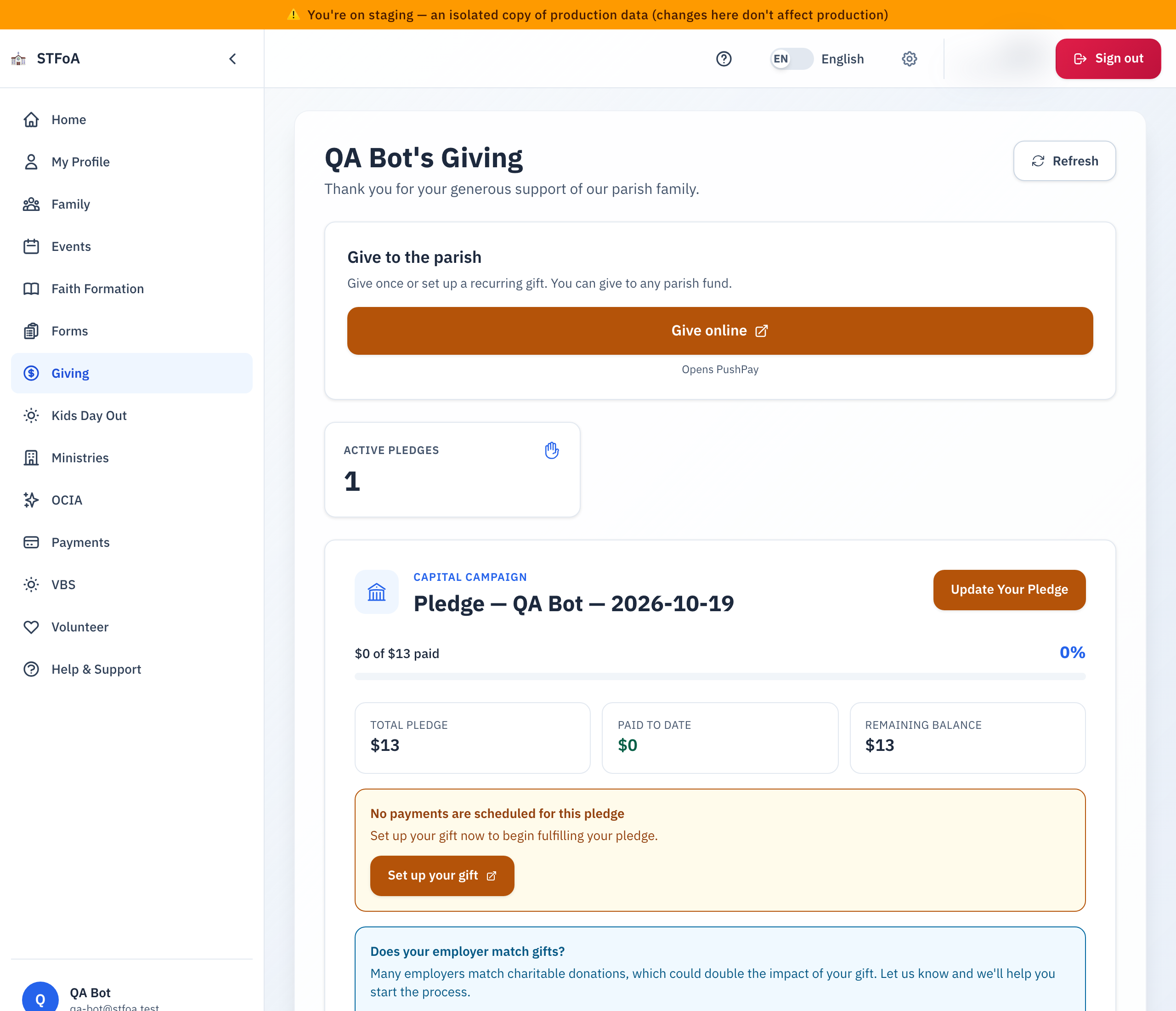
The title shows your name, for example "Smith Family's Giving". Under it, Last synced shows when the page last copied your data. Select Refresh to copy it again.
2. Give a gift
- Find the card Give to the parish.
- Select Give online. PushPay opens in a new tab.
- Sign in to PushPay. This system has its own user name and password.
3. Read the page
| Part of the page | What it shows |
|---|---|
| Recorded giving | The total of the gifts the page lists. |
| Scheduled gifts | The number of recurring gifts you set up. |
| Update Your Pledge | A link to the capital campaign pledge form. |
| Manage Scheduled Gifts | A link to PushPay, where you change a recurring gift. |
| Scheduled Gifts | One card per recurring gift: the amount, Frequency, Payment Type, and Next Date. |
| Giving History | One card per gift: the fund, the amount, the Date, and the Payment Type. |
If your family has a capital campaign pledge, a card shows your pledge progress: Total Pledge, Paid to Date, and Remaining Balance.
4. Change a recurring gift
- Select Manage Scheduled Gifts.
- Change the gift in PushPay.
- Return to the parish app and select Refresh after a day. The page needs time to copy the change.
5. What can go wrong
| What you see | What to do |
|---|---|
| "Unable to load financial data" | Select Try Again. |
| "No financial records found" | You have no gifts or pledges that the parish can match to your account. Ask the parish office. |
| A gift is missing or the amount is different | Wait one day and refresh. The page is a convenience view. Select "Click here for help." if it stays wrong. |
| You need a tax record | Wait for the contribution statement in January. Do not use this page. |
Parish office — ask about a gift, a statement, or a PushPay account.