Finding a Ministry to Join
St. Francis of Assisi Catholic Church · MinistryHow to search and filter the parish ministries directory to find a ministry worth joining.
You are a parishioner looking for a ministry to join, or just curious what the parish offers. You do not need any special role — every signed-in parishioner sees the same directory.
The parish runs dozens of ministries, and the office cannot introduce every parishioner to every one by hand. This directory is the one place every active ministry appears, with enough detail to decide if it is worth a closer look before you commit.
What you will do, in one sentence
Search or filter the list, then open any card to read more and decide whether to join.
Last verified against the staging system on 2026-10-11. Screens shown are the staging system (an isolated copy). The ministry card kept in view is an invented training record, made for this guide. Prepared 11 October 2026.
1. What the ministries directory shows
Go to Ministries in the sidebar. The page opens on Ministries, a grid of cards — one for every active ministry the parish runs.
This page is for signed-in parishioners only. If you are not signed in, the app sends you to the sign-in page first.
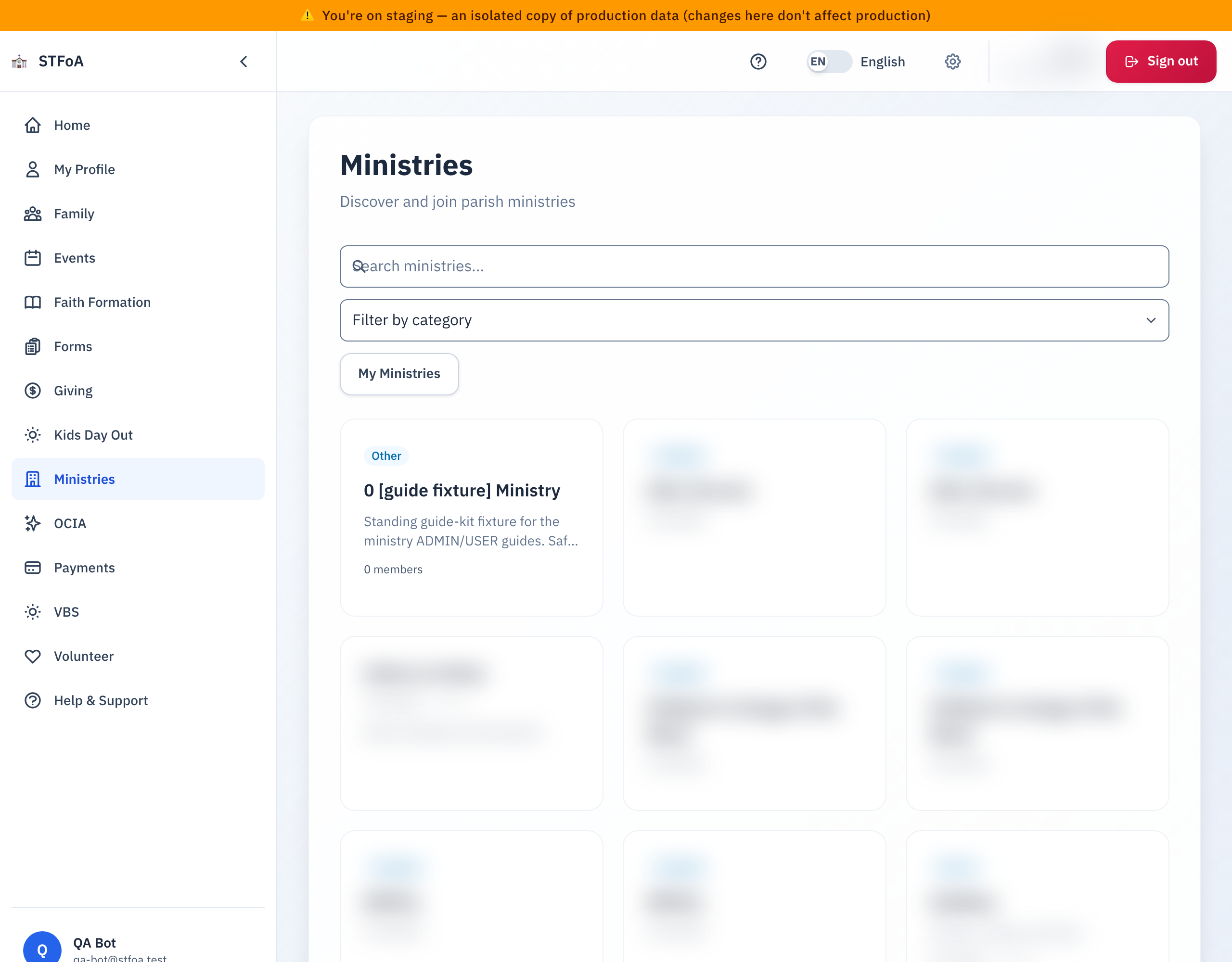
Each card shows:
- A category heading above the cards — Liturgical, Service, Education, Social, Youth, Music, Prayer, or Other. The page groups ministries under these headings.
- The ministry's name and, if it wrote one, a short description. A ministry that you can join only by invitation shows a By invitation badge. The liturgical ministries are in this group.
- How many members it has.
- A 📧 icon if the ministry can email its members, and a 💬 icon if it can text them. Neither icon means the ministry has no way to message members yet — it does not mean the ministry itself is inactive.
- The names of its leaders, if it has any assigned.
- A green Member ✓ badge, but only on ministries you already belong to.
2. Searching and filtering the list
Three controls sit above the grid, and you can use any or all of them together.
- Search — type into the box. It matches the ministry's name or description, and the list narrows as you type. There is no search button; you do not need to press Enter.
- Filter by category — a dropdown of every category at least one ministry actually uses. Pick one to show only ministries in that category.
- My Ministries — a button, not a dropdown. Click it to show only ministries you already belong to. Click it again to show every ministry.
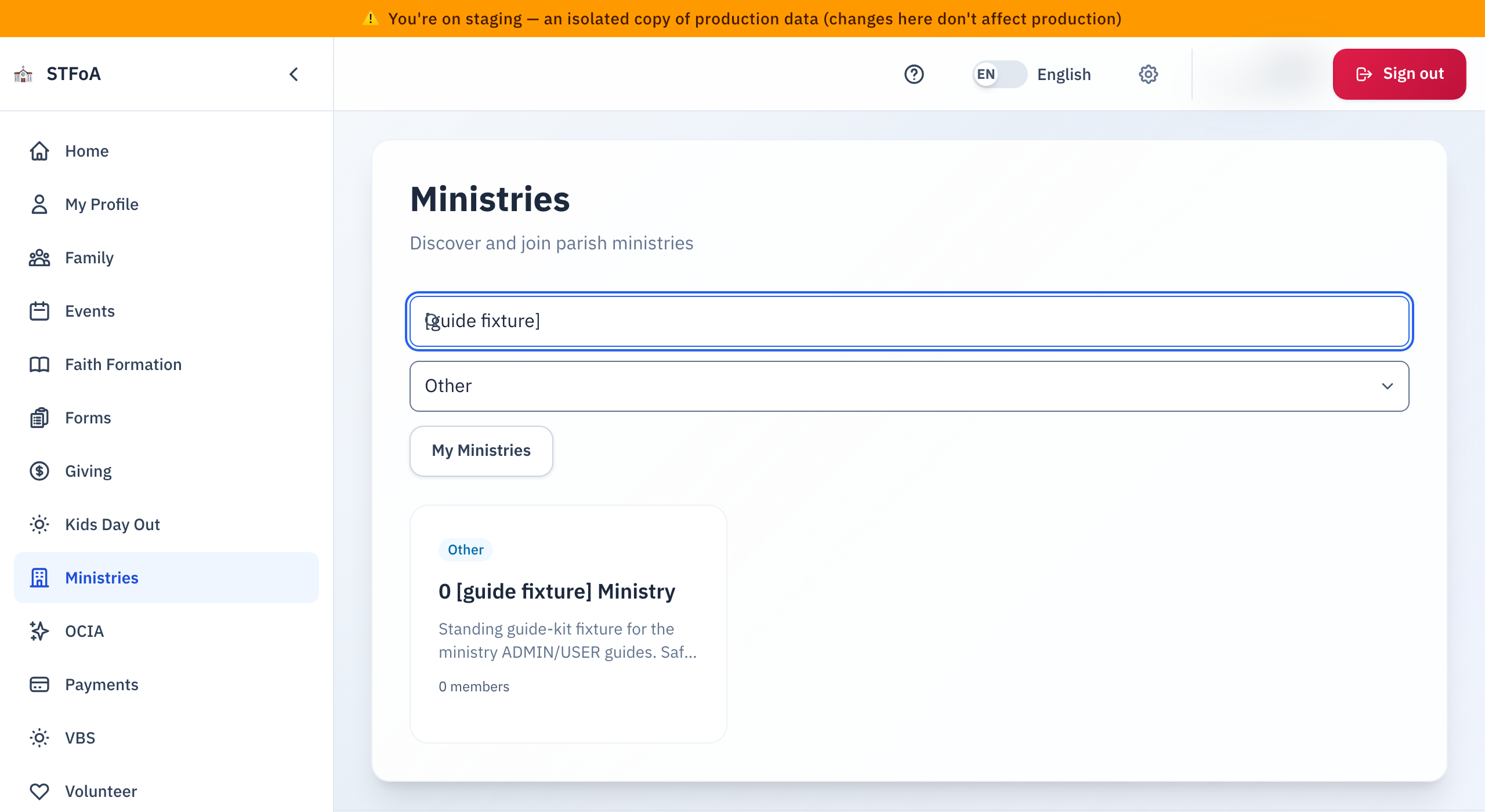
Search only checks the ministry's name and description. If you look for a ministry by who leads it, scan the leader names on the cards instead — typing a leader's name into search will not find their ministry.
All three controls combine. If you search for a term, pick a category, and turn on My Ministries, the grid only shows ministries that match every one of those at once.
3. Opening a ministry you're interested in
Click anywhere on a card — the whole card is a link, not just the name — to open that ministry's own page. There you will find its full description, its leaders and their roles, its meeting schedule and location, and a way to join if it is open to new members.
You cannot join a ministry marked By invitation from this page. Ask a leader of that ministry to invite you. A ministry that is full looks like any other card until you open it. If you are set on a particular ministry and it turns out to be closed, the ministry's own page is the place to ask about a waiting list.
4. When no ministries match your search
If your search term, your category choice, and the My Ministries toggle do not have a single ministry in common, the grid disappears and the page shows one message instead: No ministries found.

To see ministries again:
- Clear the search box.
- Set Filter by category back to its blank default.
- Turn My Ministries off, if it is on.
Any one of these can be the reason the list is empty — check all three if clearing one does not bring ministries back.
5. Quick reference card
The whole thing, in four lines
- Open Ministries from the sidebar to see every active ministry.
- Search, pick a category, or toggle My Ministries — combine them freely.
- Click any card to read the full details and, if it's open, join.
- No matches shows No ministries found — clear one filter at a time to find out which one narrowed the list.
When to stop and ask
- A ministry you know exists never shows up in the directory.
- You believe you're a member of a ministry, but My Ministries does not show it.
- A ministry's card shows the wrong leader, or no leader at all.
Parish office — ask for the ministry's own leader, or for whoever manages the ministries directory.
A few things to remember
- The directory only ever shows active ministries — a retired ministry will not appear here even if you were once a member.
- You join on the ministry's own page, never on this directory.
Thank you for taking the time to find a ministry that fits. The parish is better for every parishioner who does.