Viewing the Ministries You've Joined
St. Francis of Assisi Catholic Church · MinistryWhat your My Ministries page shows, and how to open a ministry with a new message.
You belong to one or more ministries at the parish. You want to see them in one place and check for new messages.
My Ministries puts every group you belong to on one page. You do not have to search the ministry directory to find your own groups or their latest messages.
What you will do, in one sentence
Open My Ministries to see every ministry you belong to, and jump straight to the one with a new message.
Last verified against the staging system on 2026-10-12. Screens shown are the staging system (an isolated copy). The ministry and message shown are invented training fixtures made for this guide. Prepared 12 October 2026.
1. What your Ministries page shows
Go to My Ministries to see every ministry you belong to, all in one place.
The parish shows a card for each ministry you joined. Each card shows:
- The ministry's name.
- A short description, if the ministry has one.
- Your role in that ministry, such as Member or Volunteer.
- The date you joined, next to the label Joined.
- Small icons that show whether you allow email (📧) or text (💬) messages from that ministry.
Your most recently joined ministry appears first.
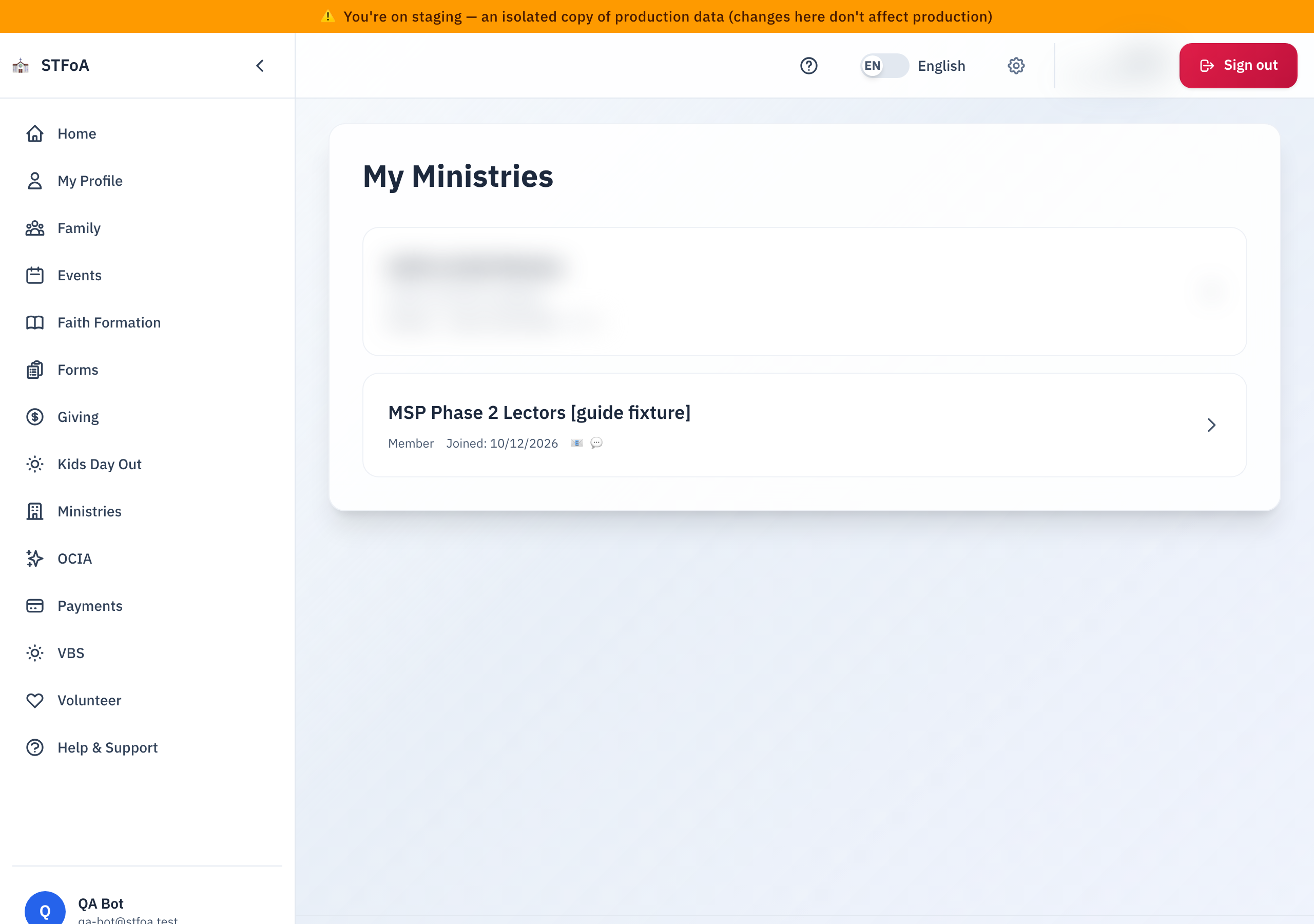
A small number next to a ministry's name is the count of new messages from that ministry. No number means nothing new.
If your ministries do not load, the page shows an error message instead of your list. Refresh the page. If it still fails, ask the parish office.
2. Opening a ministry with a new message
- Find the ministry with a number next to its name.
- Click anywhere on that ministry's card.
- On the ministry's page, scroll down to Messages.
- Click View Messages.
View Messages marks every waiting message from that ministry as read right away, including messages you never opened. The number on My Ministries goes back to zero for that ministry as soon as you open its message list.
3. If you have no ministry yet
If you have no ministry yet, My Ministries shows this instead of a list:

- Click Browse Ministries.
- Look through the parish's list of ministries.
- Open one that interests you and join it.
Once you join a ministry, it appears on your My Ministries page.
4. Quick reference card
The whole thing, in three lines
- Open My Ministries to see every ministry you joined.
- A number next to a ministry's name counts new messages.
- Click the ministry, then click View Messages to read them — this also clears the number.
When to stop and ask
- A ministry you know you joined is missing from your list.
- The number stays after you open View Messages.
Parish office — ask for the person who added you to the ministry.
Thank you for staying connected with your ministries. Checking in here keeps you in the loop and skips the search through email.