Requesting a Parish Space and Tracking the Request
St. Francis of Assisi Catholic Church · EventsHow to ask for a room or hall, how to follow your request, and how to see the parish event calendar.
You are a signed-in parishioner or group leader. You want to hold an event in a parish space.
Many groups use the same rooms. The app checks for overlaps first, and an administrator approves each request. This keeps two groups from planning the same room at the same time.
What you will do, in one sentence
Fill in the request form, check availability, submit, and watch the status under My Bookings.
Last verified against the staging system on 2026-10-20. Prepared 20 October 2026.
1. Request a booking
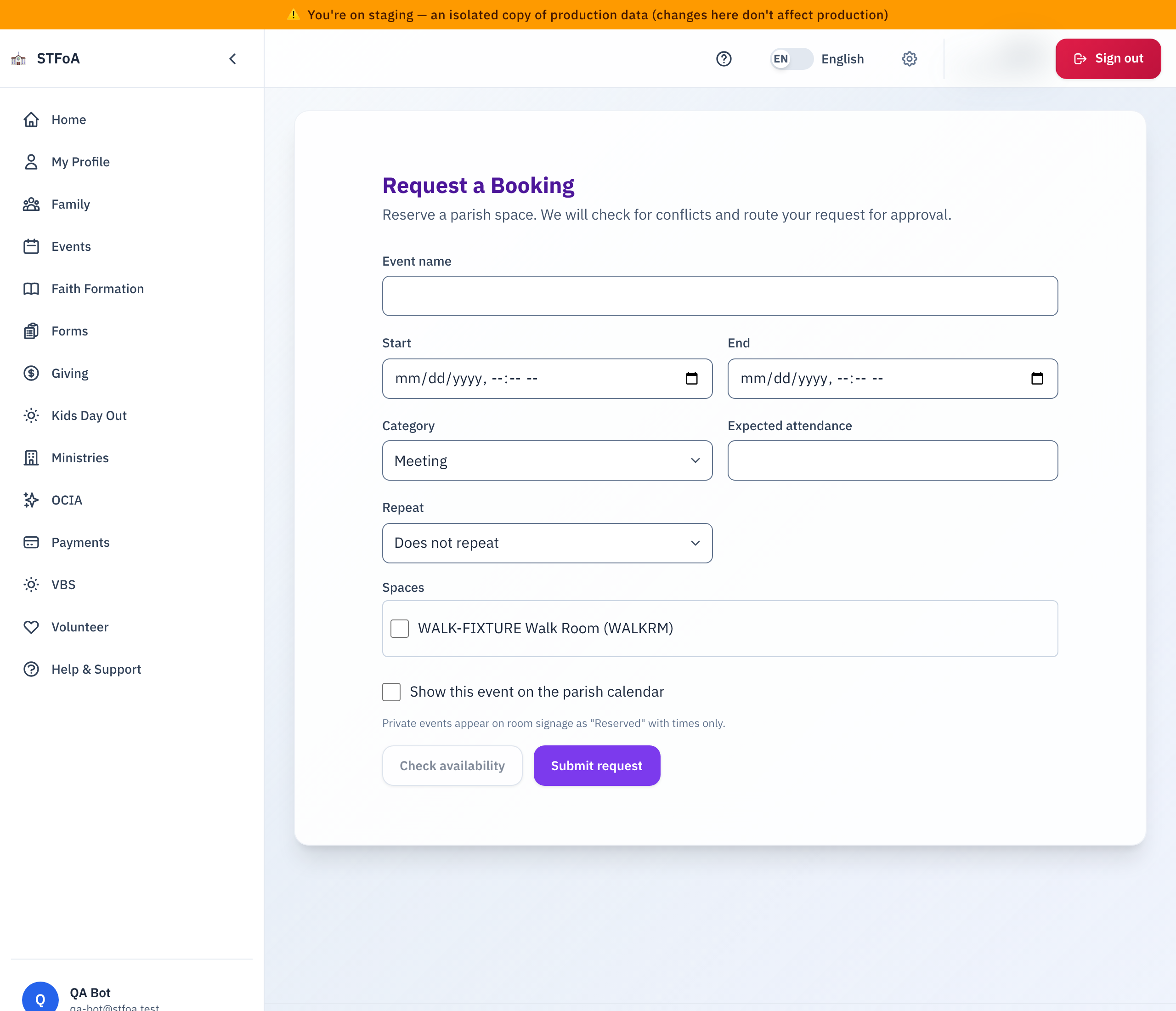
- Open
/events/book. The page title is Request a Booking. - Type the Event name.
- Choose the Start and End date and time.
- Choose a Category: Mass / Liturgy, Meeting, Faith Formation, Social, Sacrament, Outreach, or Other.
- Type the Expected attendance.
- Choose one or more Spaces.
- To repeat the event, choose Weekly in Repeat. Then choose the Repeat until date.
- Select Check availability.
- Read the result.
- Select Submit request.
Read the availability result
| Message | What it means |
|---|---|
| "These spaces are available." | No overlap. Submit the request. |
| "Heads up: there may be an overlap." | A small overlap may exist. You can still submit. |
| "This time conflicts with an existing booking." | An administrator reviews the request. You can still submit. |
After you submit, the page shows "Your booking request was submitted." A repeating event also shows how many dates the parish created.
2. Follow your request
- Open
/events/my-bookings. The page title is My Bookings. - Find your event. The status is Submitted, Changes requested, Approved, Published, or Denied.
- Select Dates to see each date of a repeating event.
If the status is Changes requested, read the note from the administrator and send a new request.
3. Cancel a booking
- Open My Bookings.
- Select Cancel on the booking. To cancel one date only, select Dates, then Cancel this date.
- Confirm. You cannot undo this step.
4. See the event calendar
Open /events/calendar. The page title is Event Calendar. It shows the published events of the month. If none exist, it says "No published events this month."
5. What can go wrong
| What you see | What to do |
|---|---|
| The page does not exist | The parish has not turned on space booking. Ask the parish office. |
| "Something went wrong. Please try again." | Check each field. Then try again. |
| "You have not requested any bookings yet." | You have no requests. Use section 1. |
| "The booking could not be cancelled." | Refresh the page. Then ask the parish office. |
Parish office — ask about approvals, denied requests, or a room that is not in the list.