Checking Your Child's Kids Day Out Status
St. Francis of Assisi Catholic Church · Kids Day OutHow to find your enrolled children, their balance, and today's activity report from the Kids Day Out dashboard.
You are a parishioner with at least one child enrolled in Kids Day Out, past or present.
A parent wants to check a balance, read today's report, or confirm a child's enrollment status without calling the office.
What you will do, in one sentence
Open your Kids Day Out dashboard to see every child you have ever enrolled, their current status, and today's report.
Last verified against the staging system on 2026-10-20. Screens shown are the staging system (an isolated copy of production). The children shown are standing QA fixtures (tagged "Guidefixture5076") that live permanently on the QA account's own family — real family data never appears here, since this screen shows only the signed-in parishioner's own children. Prepared 20 October 2026.
1. Where to go
- Sign in to the parish portal.
- Click Kids Day Out in the sidebar, then My Children — or open your dashboard directly at
/kdo/dashboard.
2. Reading your children's cards
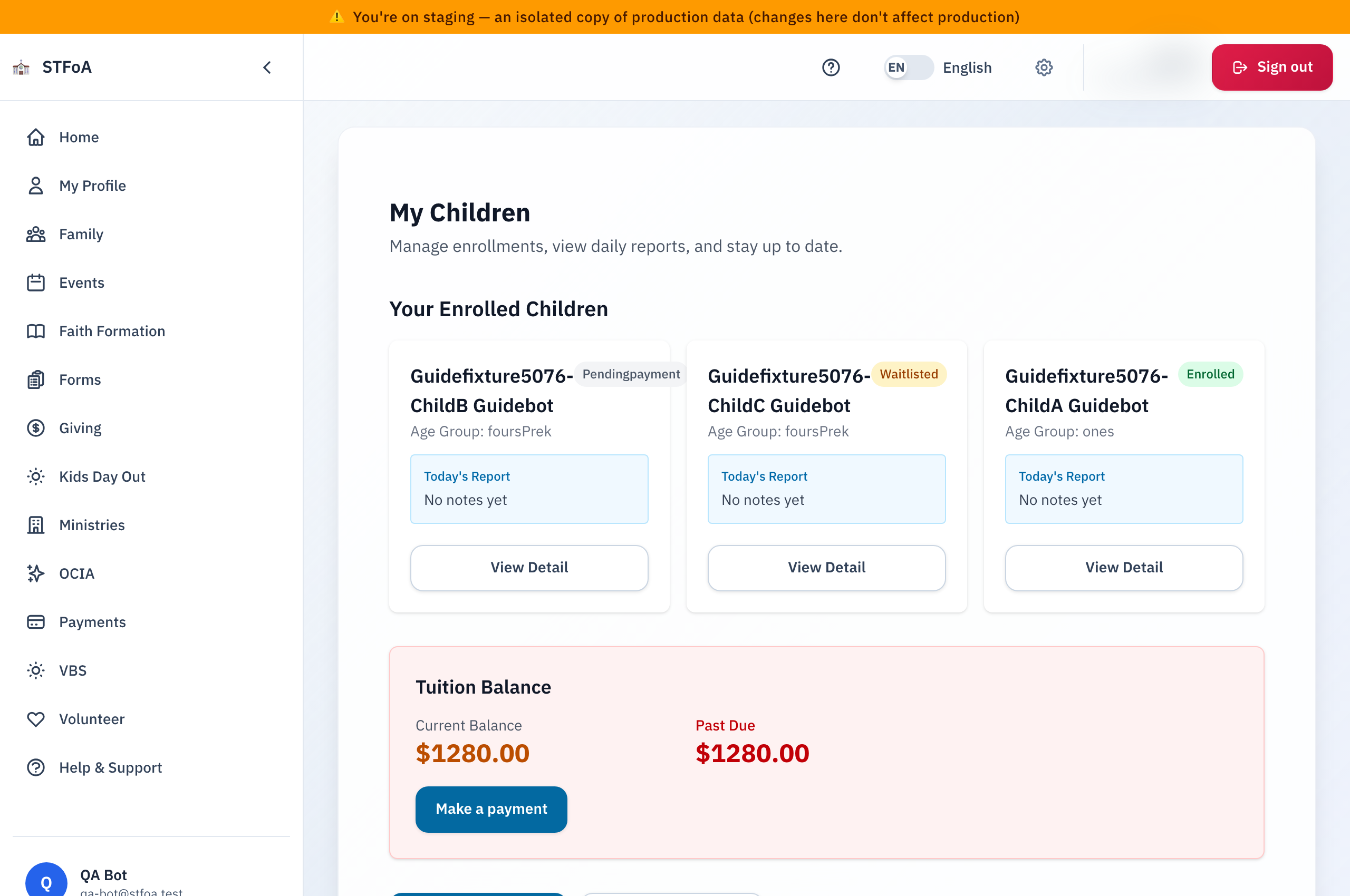
Each card is one child you have enrolled, past or present. A card shows:
| Field | What it tells you |
|---|---|
| Name | Your child's name on the registration. |
| Status badge | Enrolled, Pending Payment, Waitlisted, or Withdrawn. |
| Age Group | The classroom age group the child is enrolled in. |
| Today's Report | A short preview of today's activity report, or "No notes yet". |
| View Detail | Opens the full child record, including health profile and history. |
A child who is no longer enrolled still shows a card, marked Withdrawn. This keeps last season's history and daily reports reachable.
3. Quick reference card
The whole thing, in two lines
- Kids Day Out → My Children, or
/kdo/dashboard, lists every child you have enrolled. - Each card's Today's Report gives a quick preview; View Detail opens the full record.
When to stop and ask
- A child's status badge looks wrong — for example, a currently enrolled child shows Withdrawn.
- You expect a child's card and do not see it.
Parish office — contact the front office for help.
Thank you for staying up to date with your child's Kids Day Out day.