Making a Capital Campaign Pledge
St. Francis of Assisi Catholic Church · GivingHow to fill in the capital campaign pledge form and set up your gifts in PushPay.
You want to pledge to your parish capital campaign. You may be signed in or not.
A pledge is a statement of intent. The form records how much you plan to give and how you plan to pay. Typing your name is your electronic signature.
What you will do, in one sentence
Fill in the five sections, submit, then set up the gifts in PushPay.
Last verified against the staging system on 2026-10-20. Prepared 20 October 2026.
1. Open the form
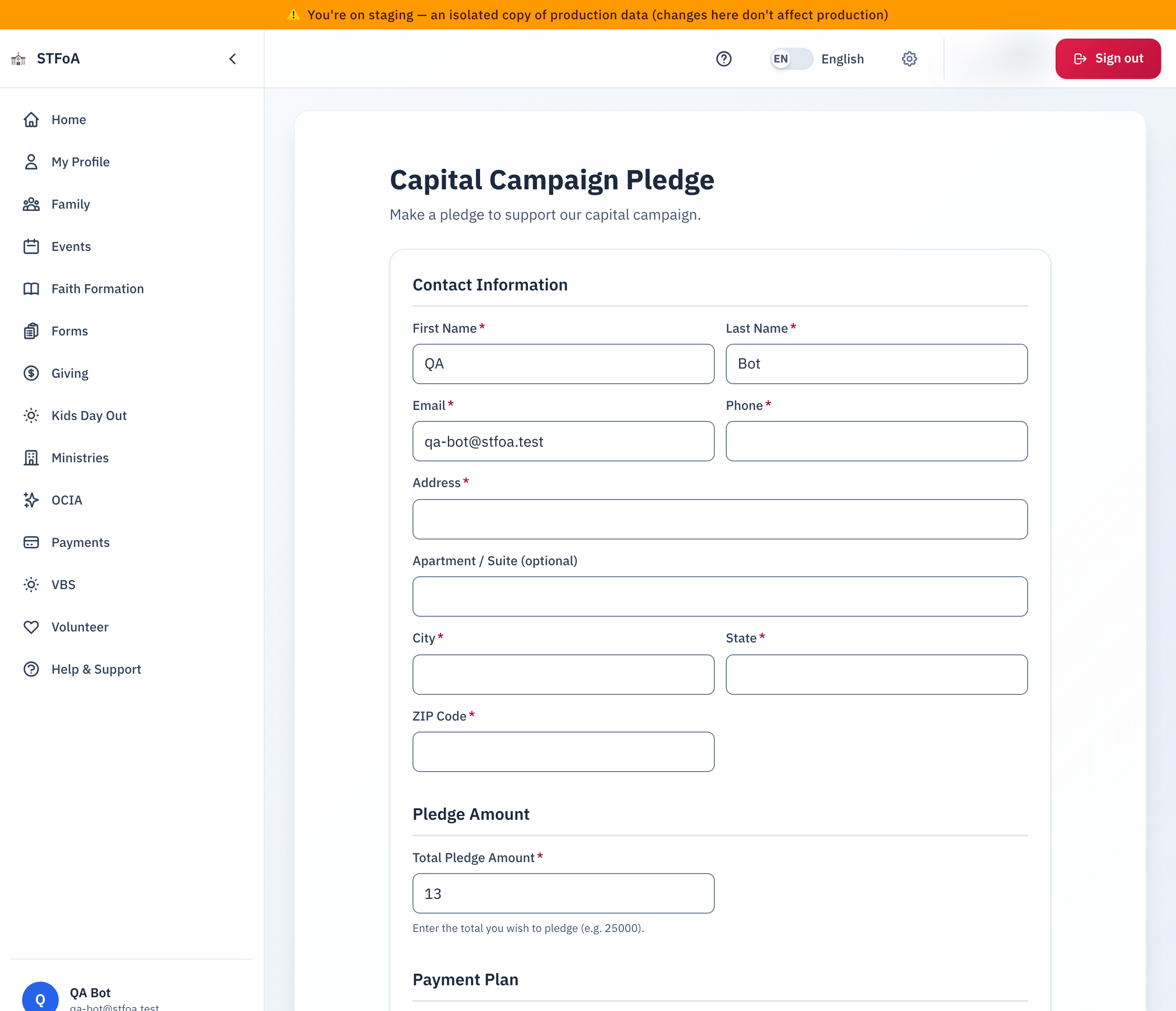
Open /giving/pledge, or select Make a pledge or Update Your Pledge on the Giving page. The page title is Capital Campaign Pledge.
If you are not signed in, select Sign in to pre-fill. The form then fills in your contact details. You can also fill in the form without signing in.
2. Fill in the form
- Contact Information: First Name, Last Name, Email, Phone, and your address.
- Pledge Amount: type the Total Pledge Amount, for example 25000.
- Payment Plan: choose the First Payment Date, Payment Frequency, and Payment Method. If you choose Other (describe), type the details. For some frequencies you also choose how many years to Pay over. The choices are 1, 2 or 3 years. The longest term is 3 years. The form shows about how much each payment is.
- Recognition & Planned Giving: choose if you want to be anonymous. Type a name for recognition, if you like. Tick the box if you want information about planned giving or if your employer matches gifts.
- Signature & Acknowledgement: tick the acknowledgement. Type your full name. Check the date.
- Select Submit Pledge.
The form shows a Projected Recognition Tier: Supporter, Provider, Benefactor, Patron, or Leader.
3. After you submit
The page shows "Thank you for your pledge!" and a Confirmation reference. Keep the reference.
A pledge is a promise, not a payment. To make the gifts, set up recurring giving in PushPay.
- Select Continue to PushPay. If you wait, the page takes you there by itself. Select Stay on this page to stop that.
- In PushPay, set up your recurring gift. The campaign is already selected.
To pay by check, make it payable to your parish and write the campaign name in the memo line. For stock, QCD, or planned giving, contact the staff member that the page names.
4. Change a pledge
- Sign in.
- Open the form again. The form shows your current pledge.
- Change the amount or plan. Submit.
The new total cannot be less than the amount already received. The parish keeps every older version.
5. What can go wrong
| What you see | What to do |
|---|---|
| "Your pledge total cannot be less than the amount already received" | Choose a higher total. To lower a pledge, ask the parish office. |
| "Something went wrong. Please try again." | Check each field, then submit again. |
| A field says it must be 100 characters or fewer | Shorten the text. |
Parish office — ask about a pledge change or a confirmation reference.