Keeping Your Profile Up to Date
St. Francis of Assisi Catholic Church · My ProfileHow to review and update the personal, contact, and sacrament information on your own parish profile.
You have a parish portal account. This guide is for anyone updating their own information — you do not need any special role.
The parish uses your profile to reach you, to fill in registration forms, and to keep an accurate sacrament record. An old phone number, or a missing allergy note, both cause real problems later — for you, and for the volunteer trying to reach you.
What you will do, in one sentence
Open My Profile, select any field, type your change, and it saves the moment you click away.
Last verified against the staging system on 2026-10-20. Screens shown are the staging system (an isolated copy of production). The person shown is an invented QA test fixture, not a real parishioner. Prepared 20 October 2026.
1. Where to go
- Sign in to your parish account.
- Select My Profile in the sidebar.
You land on your own profile. The colored card at the top shows your name, your email address, your status, and, on the right, your clearance badges.
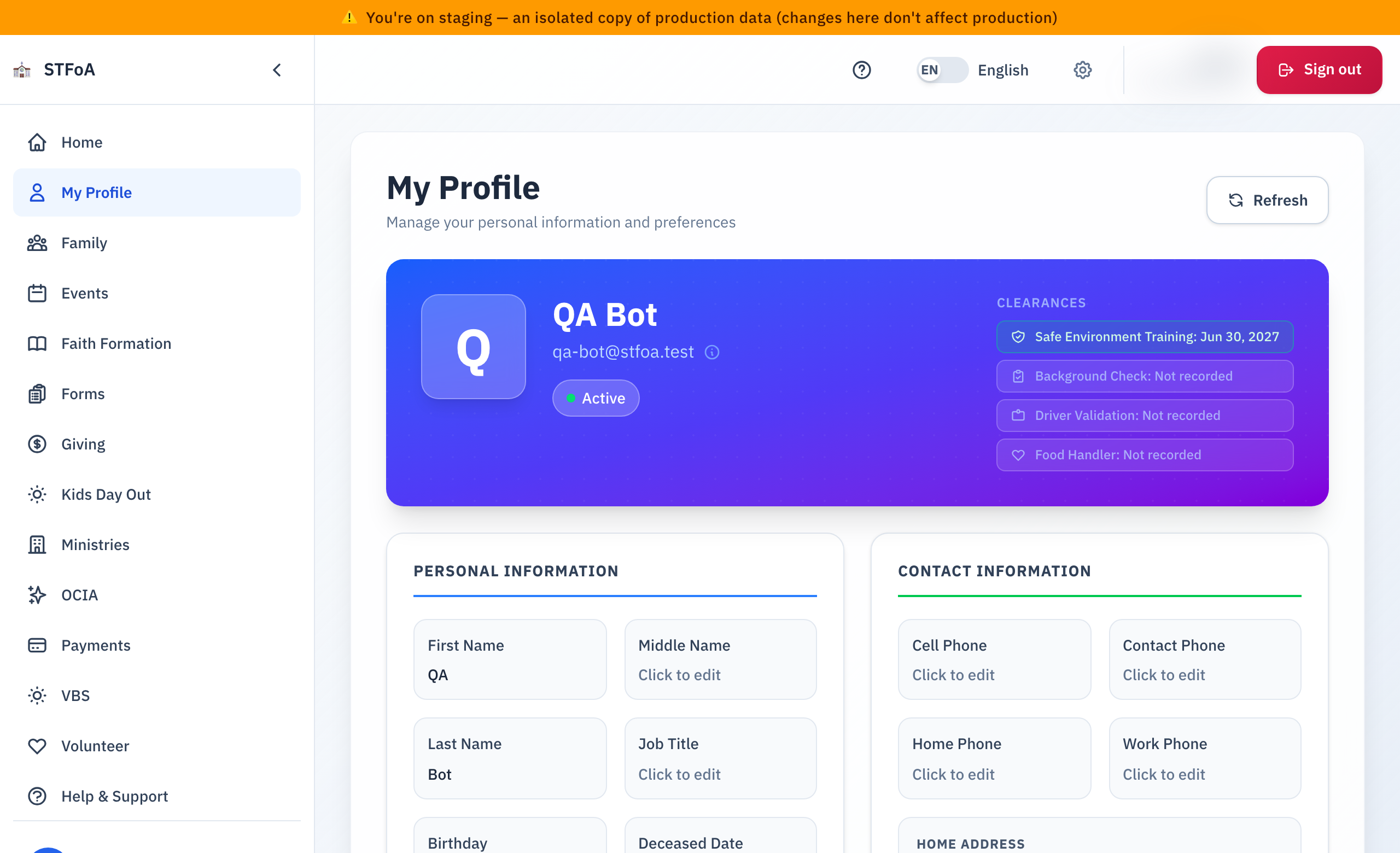
Safe Environment Training, Background Check, Driver Validation, and Food Handler each show the date they expire. A badge turns amber inside 30 days of expiring, and red once it has expired. You cannot renew a clearance from this page. Ask the parish office.
Below the colored card, every field on this page saves the same way.
Most fields have no separate Save button. Select a field to open it, type your change, and select anywhere else on the page. Your change saves right then. Press Escape to back out of a change instead of saving it.
If something you typed cannot be saved — a birthday in the future, for example — a red message tells you what to fix. Your change stays in the box until you fix it.
2. Updating your personal information
The Personal Information panel holds your name, your job title, your birthday, your gender, and your marital status.
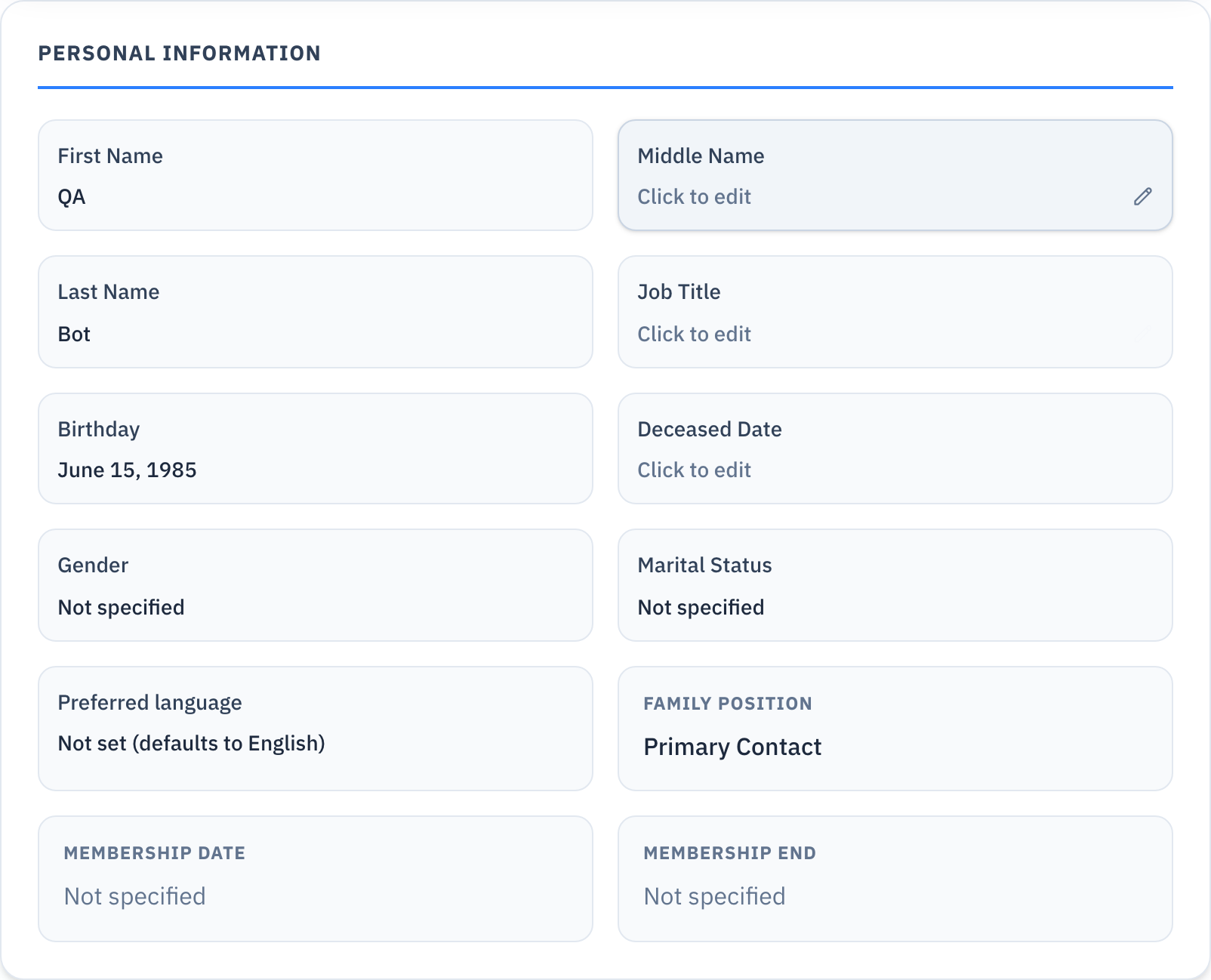
- Select the field you want to change — for example, First Name.
- Type the new value. For Gender and Marital Status, choose from the list instead.
- Select anywhere else on the page. The field saves.
Family Position, Membership Date, and Membership End are shown for reference only. You cannot change them from this page.
Changing First Name, Middle Name, or Last Name rebuilds your full name everywhere the page shows it. Save each part, then check the result at the top of the page.
To change your email address, contact the parish office. There is no field for it here.
3. Updating your contact information
The Contact Information panel holds your phone numbers, your addresses, and your emergency contact.
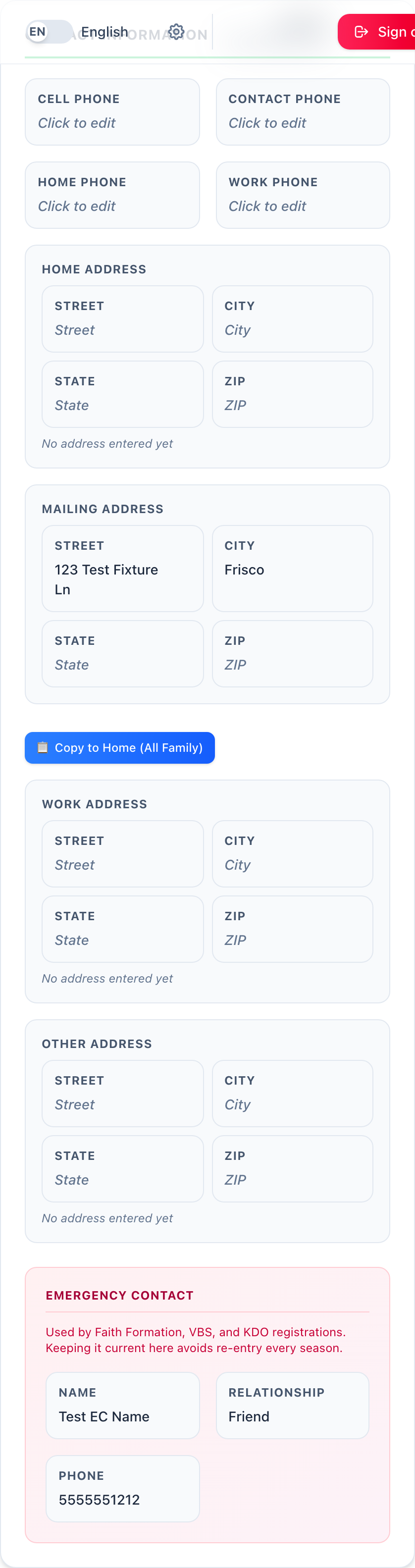
- Select Cell Phone, Contact Phone, Home Phone, or Work Phone, and type the number.
- Select any line of an address — Home, Mailing, Work, or Other — to edit it. Each line of an address saves on its own.
- Fill in Emergency Contact: Name, Relationship, and Phone. Faith Formation, VBS, and Kids Day Out registrations all use this same contact, so keeping it current here means you never re-enter it during registration.
Once a Mailing Address is on file, a Copy to Home button appears — "(All Family)" in its label when your Family Position calls for it. Selecting it asks you to confirm, then copies your mailing address onto your home address.
If your Family Position is Primary Contact or Spouse, confirming also copies that same address onto every other member of your family — all at once, with no separate confirmation for each person. Only select it when you mean to update the whole household.
4. Adding allergy or medical information
The Medical Information card holds one field: Allergies.
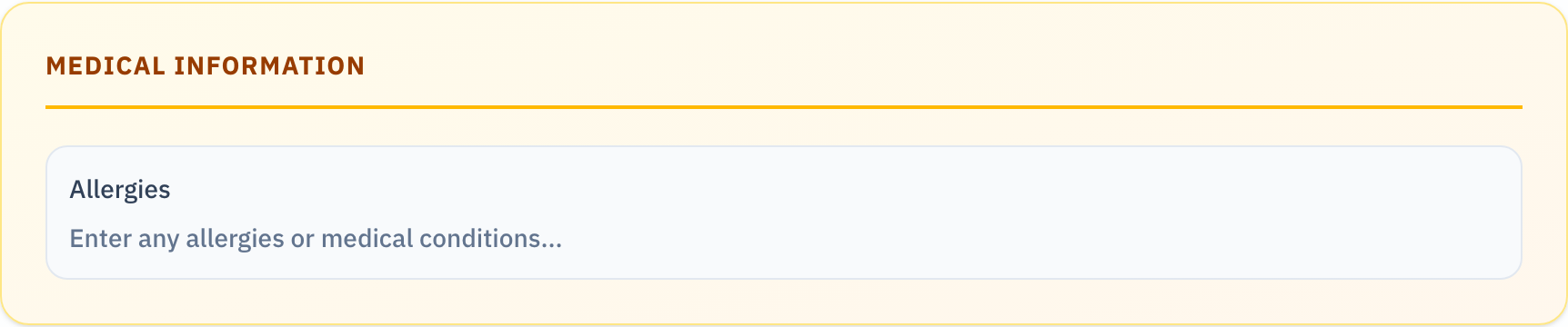
- Select the Allergies field.
- Type any allergies or medical conditions the parish should know about — before a Faith Formation class or a parish event, for example.
- Select anywhere else on the page to save it.
Write it however reads clearest to someone else. There is no list to choose from.
5. Viewing your sacraments
The Sacraments section lists six kinds of records: Baptism, First Reconciliation, First Communion, Confirmation, Marriage, and Holy Orders.
- Select the Sacraments bar to open it.
- Each sacrament shows its own card. A card with nothing on file still opens — its fields are simply blank.
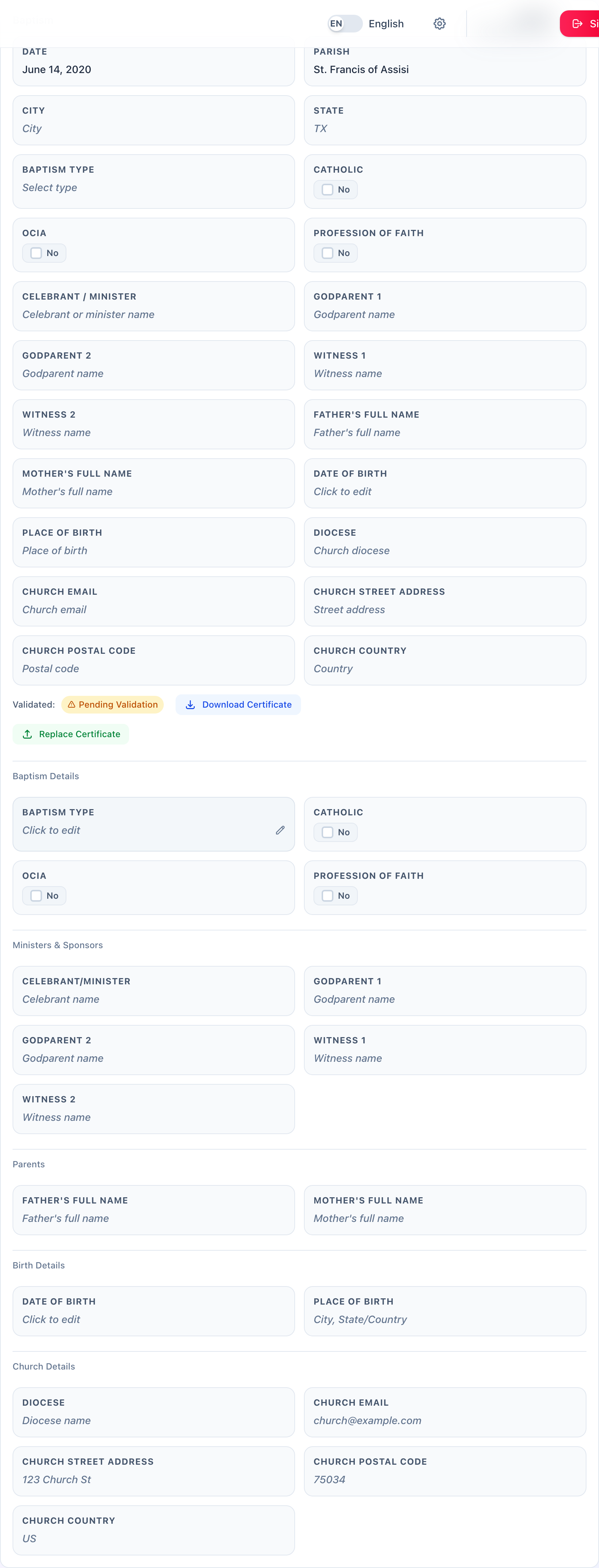
A baptism record also shows a Validated badge:
| Badge | What it means |
|---|---|
| Yes | The parish office has confirmed this record. |
| Pending Validation | The record is on file, but the parish office has not confirmed it yet. |
If a baptism certificate is on file, select Download Certificate to save a copy.
Select Upload Certificate — or Replace Certificate, if one is already on file — to add an image or a PDF of a baptism certificate. It does not become Validated right away. The parish office reviews every upload before it counts as confirmed.
You can correct a field on any sacrament card the same way you correct a field anywhere else on this page: select it, type the change, and click away.
Filling in a card that had nothing on file creates a new record. It starts as Pending Validation, even if every field is correct. Only the parish office can mark it Validated.
6. Quick reference card
The whole thing, in five lines
- Select My Profile in the sidebar to open your own record.
- Select any field, type your change, then click away — that saves it.
- Add allergies or medical conditions in the Medical Information card.
- Open Sacraments to see what the parish has on file for you, and to upload a baptism certificate.
- Your clearances, your name, and your email address are not editable here. The parish office handles those.
When to stop and ask
- A field will not save, and the red message does not explain why.
- Copy to Home changed an address you did not mean to change.
- A clearance shows Expired, or your name or email is wrong and you cannot fix it here.
Parish office — ask for the person who manages parishioner records.
Two rules
- Read what you typed before you click away. There is no separate Save button to catch a mistake first.
- Only select Copy to Home when you mean for every family member's home address to change too.
Thank you for keeping your profile current. It is what lets the parish reach you, and reach the right person, when it matters.