Changing the Email You Sign In With
St. Francis of Assisi Catholic Church · Account SettingsHow to change the email address you sign in with, and what happens right after you do.
You have a parish account, and you want to sign in with a different email address from now on. A guest account (a one-time sign-up, with no full parish record) has no Account Settings page.
Your sign-in email is also your username. The parish asks for your current password before it makes the change. It sometimes also asks for a fresh sign-in. This stops someone else from using a device you left signed in to take over your account.
What you will do, in one sentence
Enter your new email and your current password, type the code the parish sends to the new address, and sign back in with the new address.
Last verified against the staging system on 2026-10-17. Screens shown are the staging system (an isolated copy of production). The account shown is an invented QA test fixture, not a real parishioner. Prepared 17 October 2026.
1. Where to go
- Sign in to your parish account.
- Select the gear icon in the top right of any page. It opens Account Settings.
- Select the Email tab.
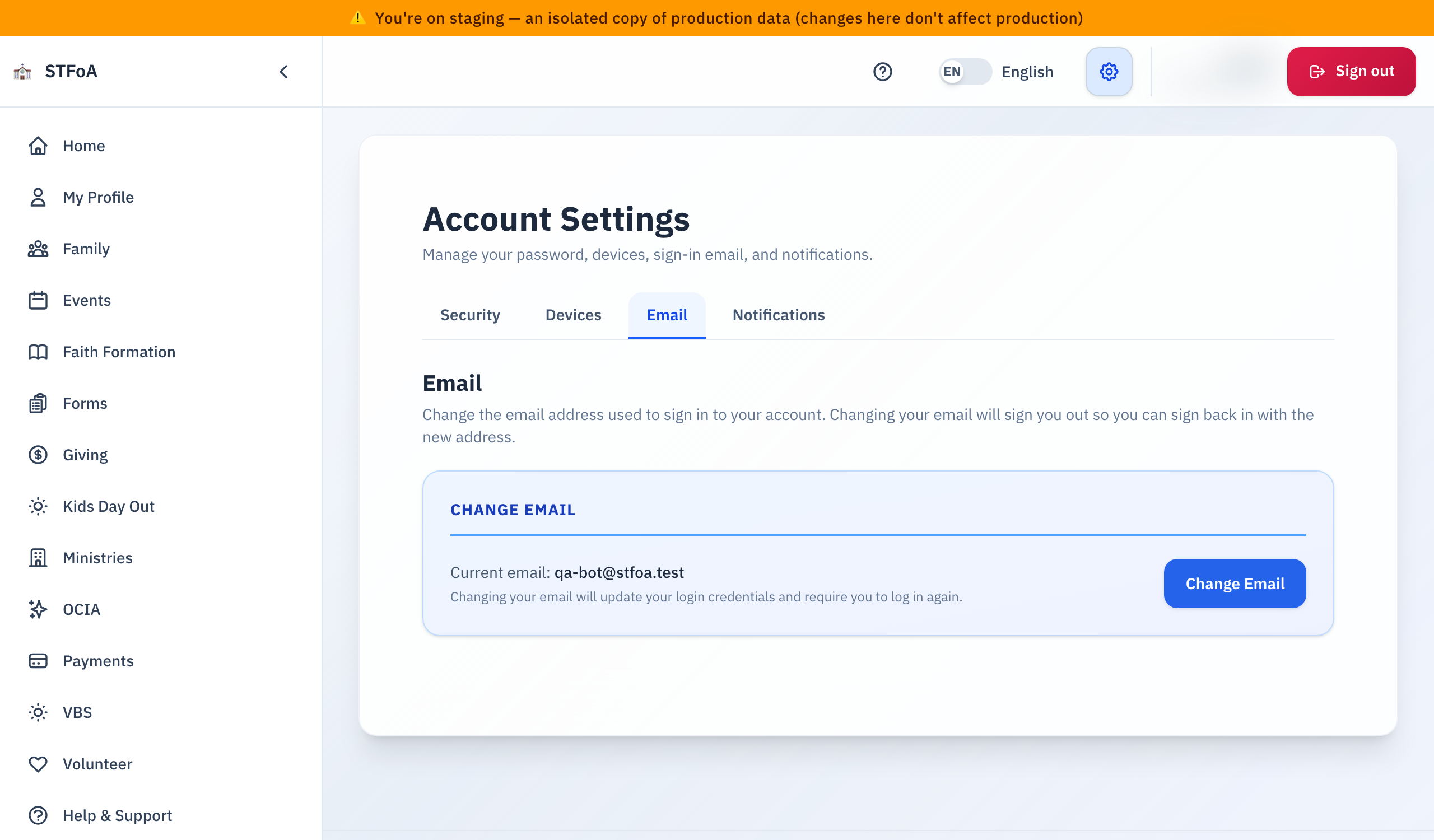
The Email tab shows the address you sign in with now, and one button: Change Email.
2. Changing your email
- Select Change Email.
- Type your new address in New Email Address.
- Type your current password in Current Password (to verify identity).
- Select Send Code. The parish sends a 6-digit code to the new address.
- Open the email at the new address. Type the code in Verification Code.
- Select Verify Code to finish the change.
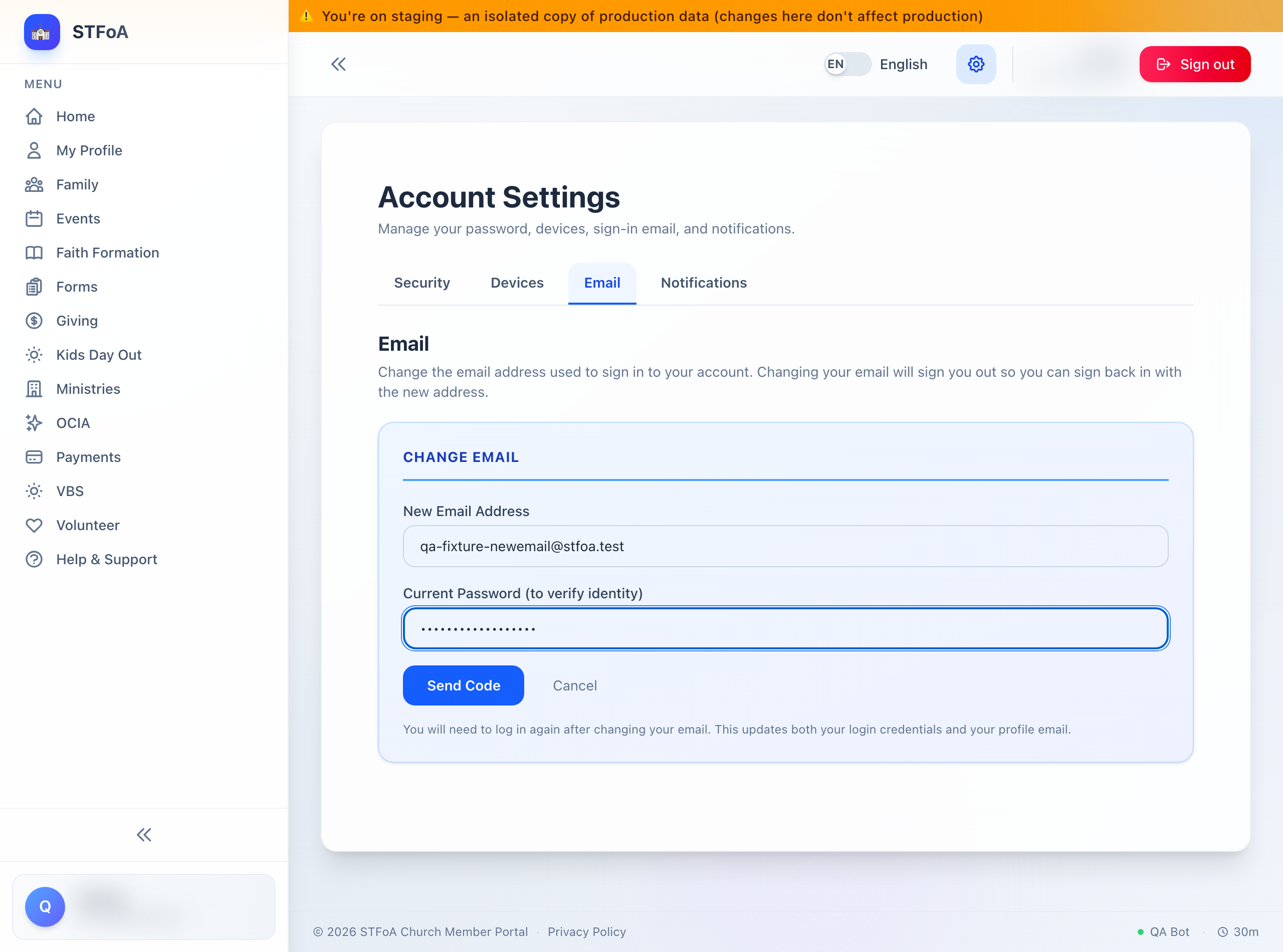
This signs you out of every device where you are signed in, not just this one. You need the exact new address to sign back in. Read it back before you select Send Code.
If you signed in a while ago, a box titled Confirm your identity may open instead of a saved change. This can happen even while you are still signed in — the parish asks for a fresh confirmation before it changes something as sensitive as your email.
Enter your password again, or select Email me a code instead to get a one-time code by email. Once you confirm, select the button again (Send Code or Verify Code). The app does not resubmit for you. Your typed new email and password stay in the boxes, so you do not need to retype them.
The form stops you before it changes anything in these cases:
| What you see | What it means |
|---|---|
| "New email and current password are required." | One of the two boxes is empty. |
| "New email must be different from your current email." | You typed the address you already use. |
| "Please enter a valid email address." | The new address is not a full email address. |
| "This email is already in use by another person." | Someone else's account already uses that address. Use a different one. |
| "Current password is incorrect." | The password you typed does not match your account. |
| "Enter the verification code." | You selected Verify Code with the code box empty. |
3. What happens right after you change it
- A green Email Changed message names your new address.
- You are signed out of every device, right away.
- After three seconds, you are sent to the sign-in page on your own.
- Sign in again with your new email address and your same password.
Your new address also becomes the contact email the parish has on file for you.
The parish sends the code to your new address only. It does not email your old address to confirm the change. If you did not make this change yourself, contact the parish office right away.
4. Quick reference card
The whole thing, in five lines
- Select the gear icon, then the Email tab, then Change Email.
- Type your new address and your current password, then select Send Code.
- Type the code from the email at the new address, then select Verify Code.
- Confirm your identity again if asked, then select the button once more.
- You are signed out everywhere. Sign back in with the new address.
When to stop and ask
- You get "This email is already in use by another person" and you do not know why.
- You changed your email but cannot sign in with the new address.
- The green Email Changed message named an address you did not type.
- The one-time code never arrives.
Parish office — ask for the person who set up your parish account.
One rule
- Read your new address back before you select Change Email. You need it exactly right to sign back in.
Thank you for keeping your account details current. That's the whole change, start to finish.