Checking Your OCIA Registration Status
St. Francis of Assisi Catholic Church · OCIAHow to check whether the parish has an OCIA registration on file for you, and read its path, documents, and sponsor.
You are a parishioner who wants to confirm whether their OCIA registration went through.
A family who submitted an OCIA intake wants a quick way to confirm the parish has it on file, without waiting for a reply from the office.
What you will do, in one sentence
Open Your registration status to see your path, program year, documents, and sponsor match, or confirm no registration is on file yet.
Last verified against the staging system on 2026-10-20. Screens shown are the staging system (an isolated copy of production). The candidate shown is the standing QA fixture ([guide fixture Prepared 20 October 2026.
1. Where to go
- Sign in to the parish portal.
- Open
/ocia/statusdirectly, or follow a link to Your registration status from the OCIA pages.
2. Reading the registration status page
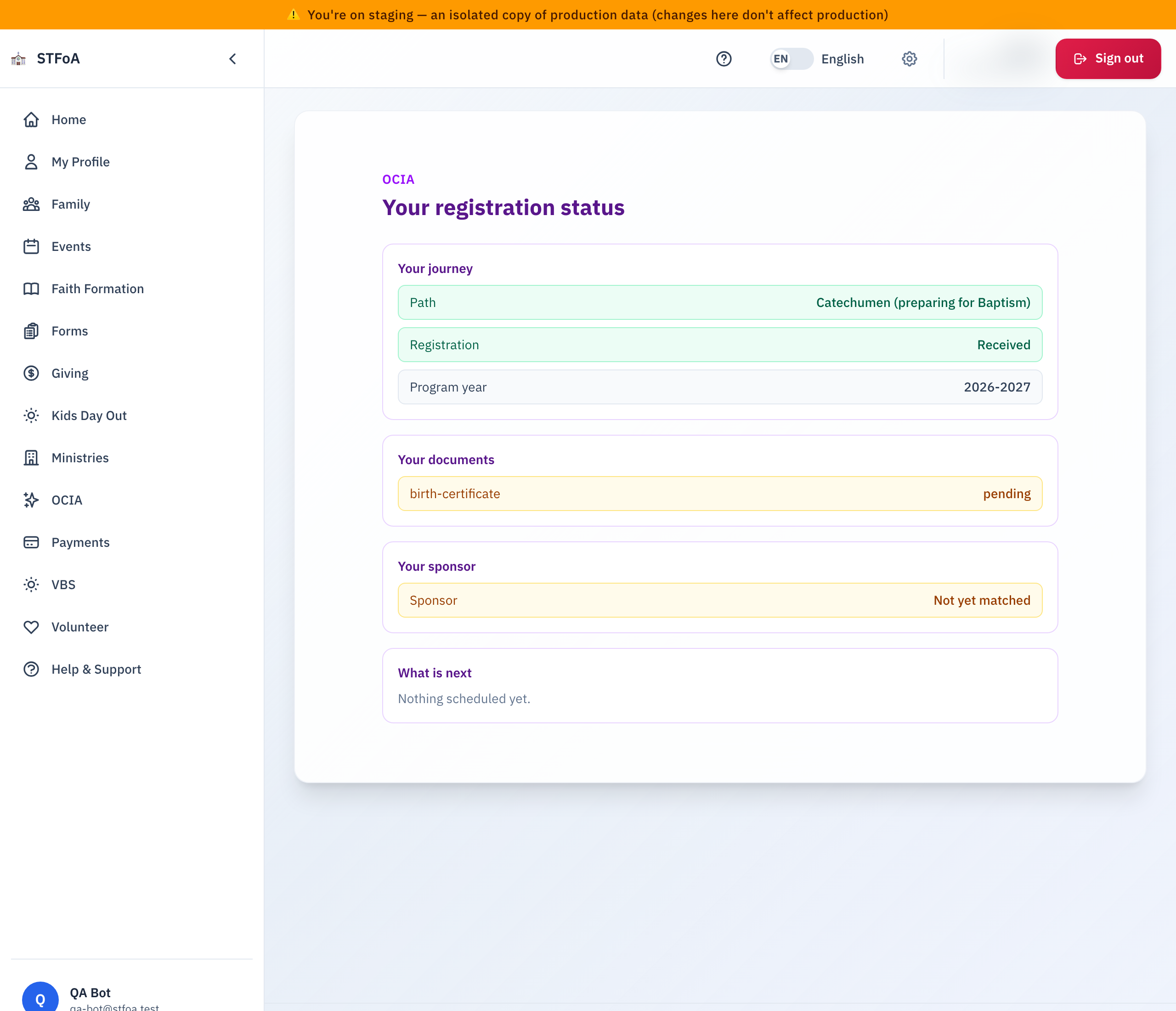
Your journey shows your Path (for example, Catechumen (preparing for Baptism)), your Registration status, and the Program year you registered into.
Your documents lists each document you uploaded and its review status, such as pending.
Your sponsor shows whether one is matched yet.
What is next names your next step, or says "Nothing scheduled yet" when the parish has not set one.
If the parish has no OCIA registration on file for you in the current program year, this page says so directly — "We have no OCIA registration on file for you in this program year" — with a Start your registration button in place of the journey details above.
3. Quick reference card
The whole thing, in two lines
/ocia/statusshows your path, registration, documents, and sponsor match — or states plainly that none is on file.- What is next names your next step.
When to stop and ask
- You submitted a registration, and this page still says none is on file.
- A document you uploaded does not appear under Your documents.
Parish office — contact the parish office for help.
Thank you for confirming your place in the OCIA journey.