Starting Your Child's OCIA Registration
St. Francis of Assisi Catholic Church · OCIAHow to start the OCIA Adapted for Children intake wizard on your child's behalf, and what the wizard will ask.
You are a parent or guardian of a school-age child who is not yet baptized or has not completed initiation.
OCIA Adapted for Children records your child's sacraments from what you enter, so the wizard needs your child's legal details, a birth certificate, and your family's information before the parish can prepare their path.
What you will do, in one sentence
Click Begin, and the wizard walks you through your child's baptism history, legal details, and your family's information.
Last verified against the staging system on 2026-10-20. Screens shown are the staging system (an isolated copy of production). This capture shows only the blank Welcome step — no personal data was entered. Prepared 20 October 2026.
1. Where to go
- Open OCIA and click Begin — for my child.
- Or open the wizard directly at
/ocia/start?for=child.
No sign-in is required to start. You will fill this in on your child's behalf, and you will be asked to verify your email so your progress can be saved.
2. Reading the Welcome step
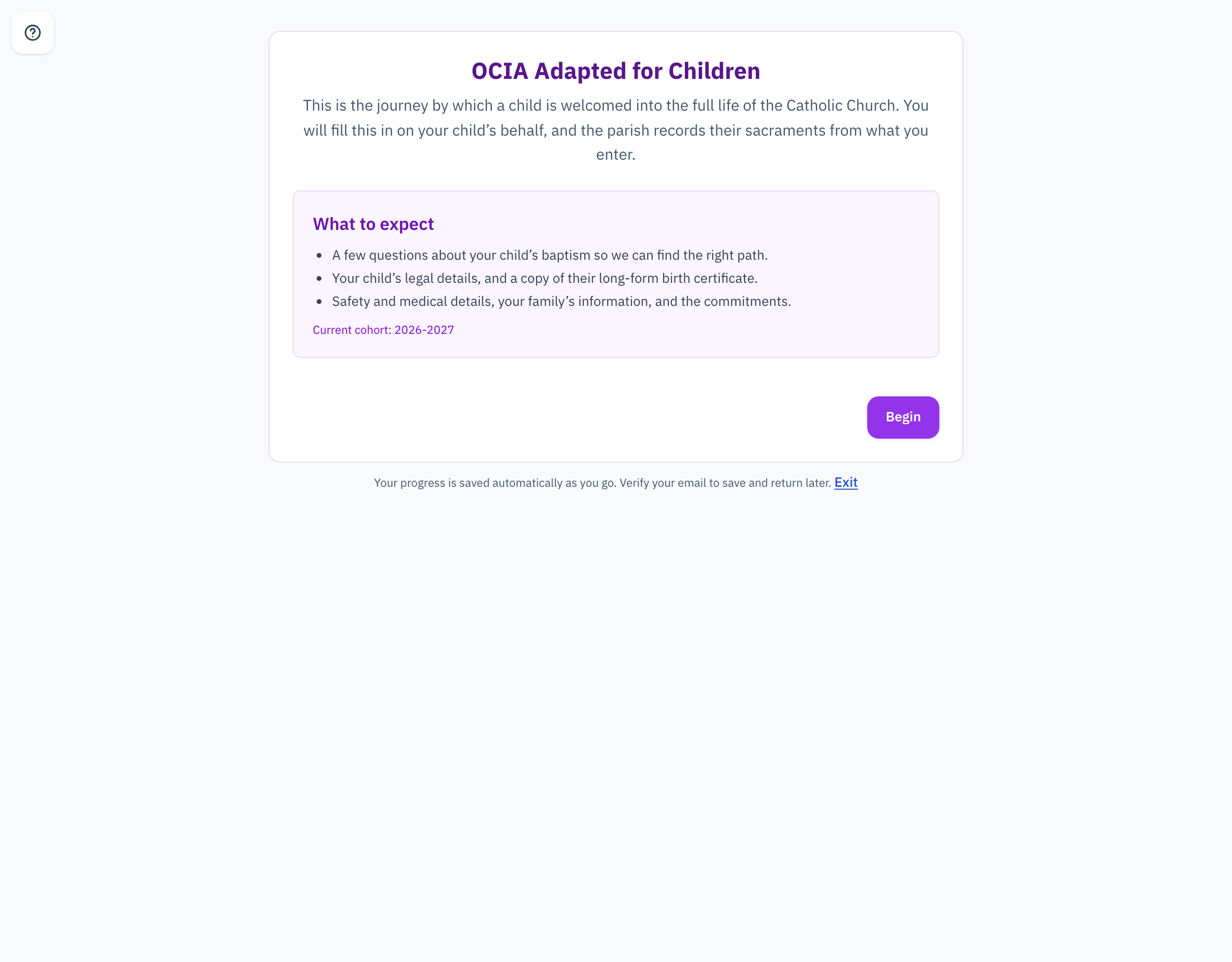
The What to expect card lists what the wizard will ask for:
- A few questions about your child's baptism, so the parish can find the right path.
- Your child's legal details, and a copy of their long-form birth certificate.
- Safety and medical details, your family's information, and the commitments.
The card also names the current cohort — the program year your child's registration will join.
The wizard asks for a copy of your child's long-form birth certificate. Having it ready before you start makes the form faster to finish.
3. Quick reference card
The whole thing, in two lines
- OCIA → Begin — for my child, or
/ocia/start?for=child, opens the wizard. No sign-in is required to start. - Have your child's long-form birth certificate ready, then verify your email so your progress saves.
When to stop and ask
- You are not sure whether this wizard or Begin — for myself is right for your family.
- Your child does not have a long-form birth certificate available.
Parish office — contact the parish office for help.
Thank you for bringing your child to this step in their faith journey.